YoAmigo Studio 1.3 and the latest YoAmigo app are out. You can now write and send newsletters from your project, Studio runs smoothly on Windows, your teammates can work in Claude Code or Codex, and everyone on a project can save and publish together.
A lot has happened, even if I've been a tad quiet. Here's what's new.
Send newsletters from Studio or your phone
You can now write and send a newsletter right from your project, in Studio or on your phone. Start from a note, an announcement or an event, type straight into the email, and send it now or pick a day and time. People who sign up on your site join your audience, and a welcome email can greet them on its own. You can bring a list you already have, too. My own update email this month was written and sent with it.


YoAmigo Studio on Windows
YoAmigo works much better on Windows now. Sorry it took this long. Thank you to everyone who kept pushing me on this. I finally spent a week on it.
Getting the latest version, installing Claude Code or Codex, and starting previews all work without extra setup now. If anything still trips you up, reach out like always. I appreciate all the feedback.

A calmer, more stable Studio
YoAmigo Studio is at version 1.3, and it has been through a lot of testing. There will always be bugs, but I feel very confident in this build and the infrastructure behind it. I want it to be something your business can rely on.
Version 1 came with a complete refresh. Studio should be easier to understand, calmer and more pleasant to work in. Here's how it looks.

The YoAmigo app: Email tab, reactions and photo collages
The YoAmigo app got a big update too. Each project has an Email tab now, so you can write, schedule and send your newsletter from your phone and see how it did. Chat picked up reactions and photo collages.


Teammates and craft: YoAmigo, Claude Code or Codex
You now have teammates, and you choose the craft each one works in. Type what you want, the way you would with ChatGPT, and your teammate makes the change. If you come from a technical background, think of a teammate as an agent and its craft as the harness.
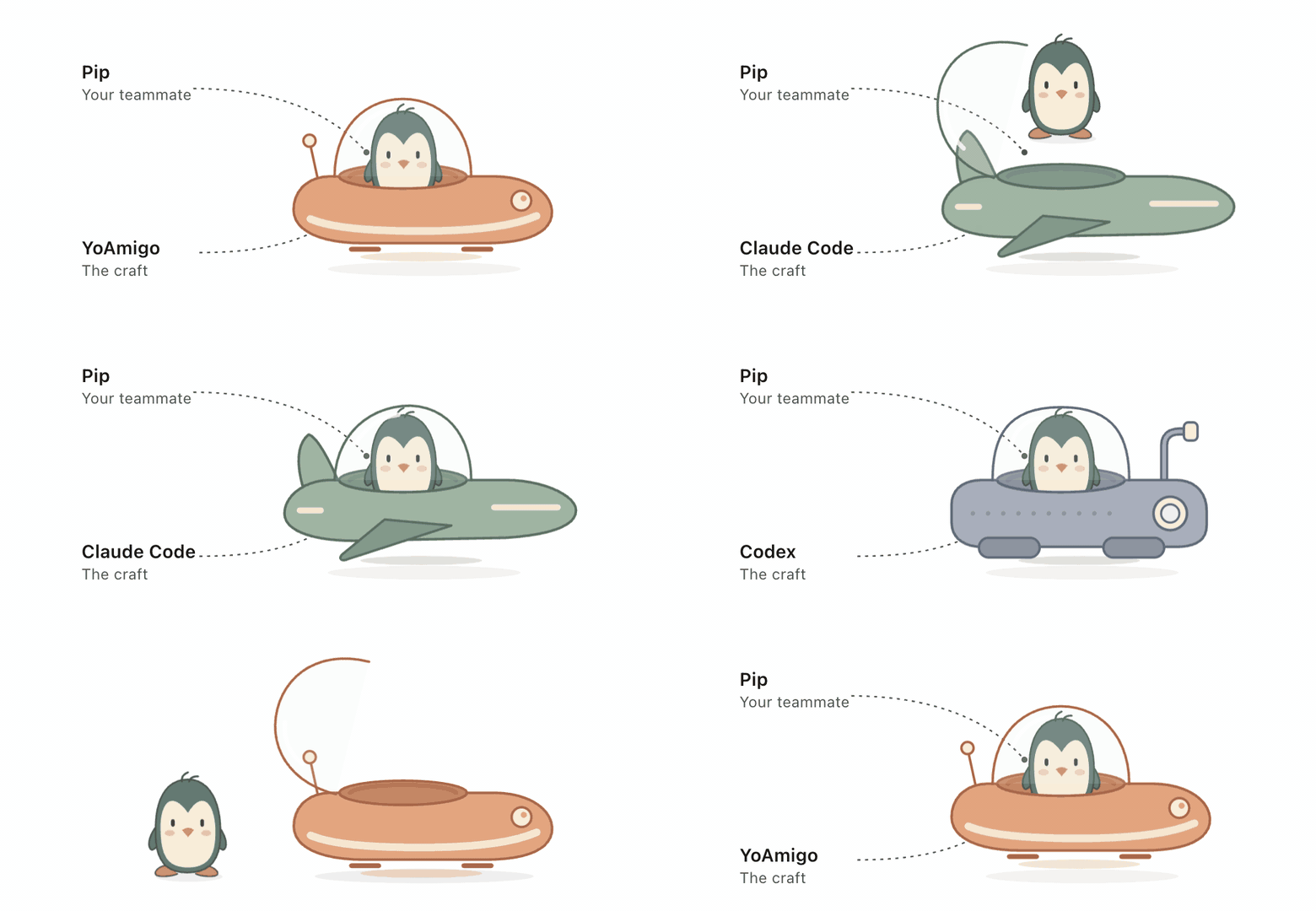
Studio comes with the YoAmigo craft. It's the best performance for the cost I could squeeze out, and it can edit your site without a problem. For complex features I encourage Codex or Claude Code, where you'll usually get better results for less.
Your teammates live at the top left of Studio, and the craft picker sits right under them.

Pick the animals you like, add up to 6 teammates per project, and work on several things at once.

You can message your teammate from the YoAmigo app too. Mention them, like @Pip, and they get to work while Studio is open on your computer.

Saving and publishing together
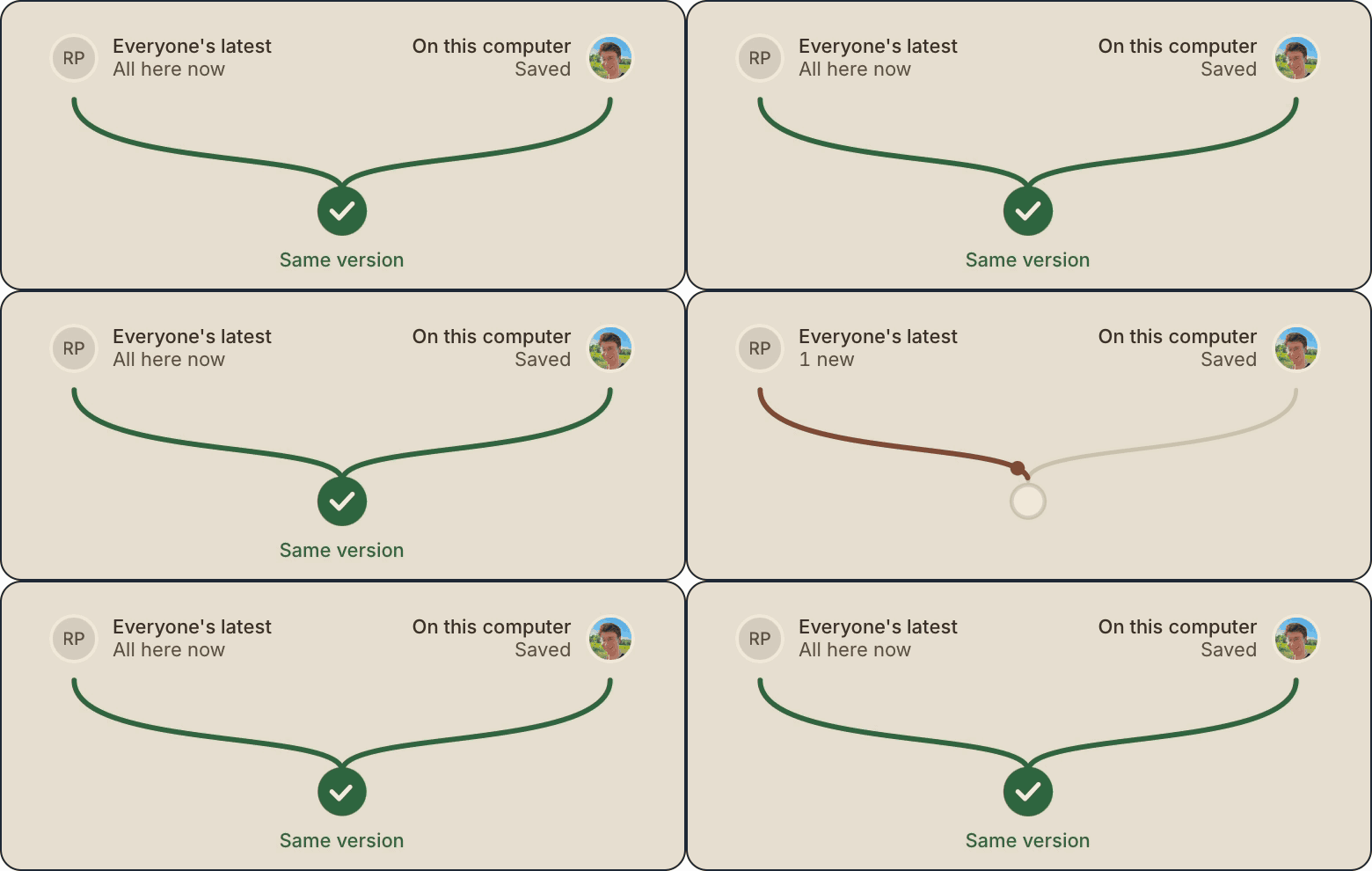
When you save a version, everyone on the project gets it and sees who saved it. Get latest brings in their changes, and if two people edited the same thing, Combine keeps both. You can see who's editing right now, and Publish puts live exactly the version you published.

Questions
Can I send a newsletter from my phone with YoAmigo?
Yes. Each project in the YoAmigo app has an Email tab where you can write, schedule and send a newsletter, then see how it did. You can do the same from YoAmigo Studio on your computer.
Does YoAmigo Studio work on Windows?
Yes. Getting the latest version, installing Claude Code or Codex, and starting previews all work on Windows without extra setup.
Can I use Claude Code or Codex with YoAmigo Studio?
Yes. Each teammate works in a craft you choose: the YoAmigo craft that comes with Studio, Claude Code or Codex. For complex features, Claude Code or Codex usually give better results for less.
How many teammates can a YoAmigo project have?
Up to 6, so you can work on several things at once. You can also message a teammate from the YoAmigo app by mentioning them, like @Pip, while Studio is open on your computer.
Can two people edit the same YoAmigo project?
Yes. When someone saves a version, everyone on the project gets it. Get latest brings in their changes, Combine keeps both when two people edited the same thing, and Publish puts live exactly the version you published.
And lots more
Lots of smaller improvements and fixes. Studio updates itself, so if you already have it, the newest version is waiting for you. If you don't, download YoAmigo Studio for Mac, Windows or Linux.
Please try it out and share it. Send me feedback, good and bad.